
Running an indie bookshop is a little bit magic and a lot of spreadsheets—and I love both sides of it!
As Imaginary Adventures grows, I’ve been refining the systems that keep everything running smoothly: preorder workflows, author communication, inventory tracking, and the quiet daily rituals that make the shop feel grounded and not overwhelming.
I thought I’d start sharing small glimpses into the way I run an indie bookshop. Bonus! I’m both neurodivergent and have Narcolepsy so conserving as many spoons as possible is key to success.
Welcome back to part 2 of this blog series. Today, let’s talk tools!
I’m a video game producer by training and an operations manager by trade—all of which means, TOOLS ARE EVERYTHING. Whether I’m trying to wrangle half a dozen college students creating a game, or one-hundred digital security professionals all over the globe, being effective is all down to the tools I rely on and how I utilize them.
Turns out, owning a bookshop isn’t much different.
For today, I’ll stick to some of the digital tools that keep the shop running, and next time we’ll talk about some of the physical ones.
In no particular order…
iCloud Subscription
Okay, I’m breaking my word on the first one. I will add that my iCloud subscription is so powerful because of my devices, I have a full complement of Apple devices. iPad, MacBook Neo, iPhone, and Watch. I add these not as a flex, but as background for how all of my systems fit together. They would not do that if I was on various platforms and device types.
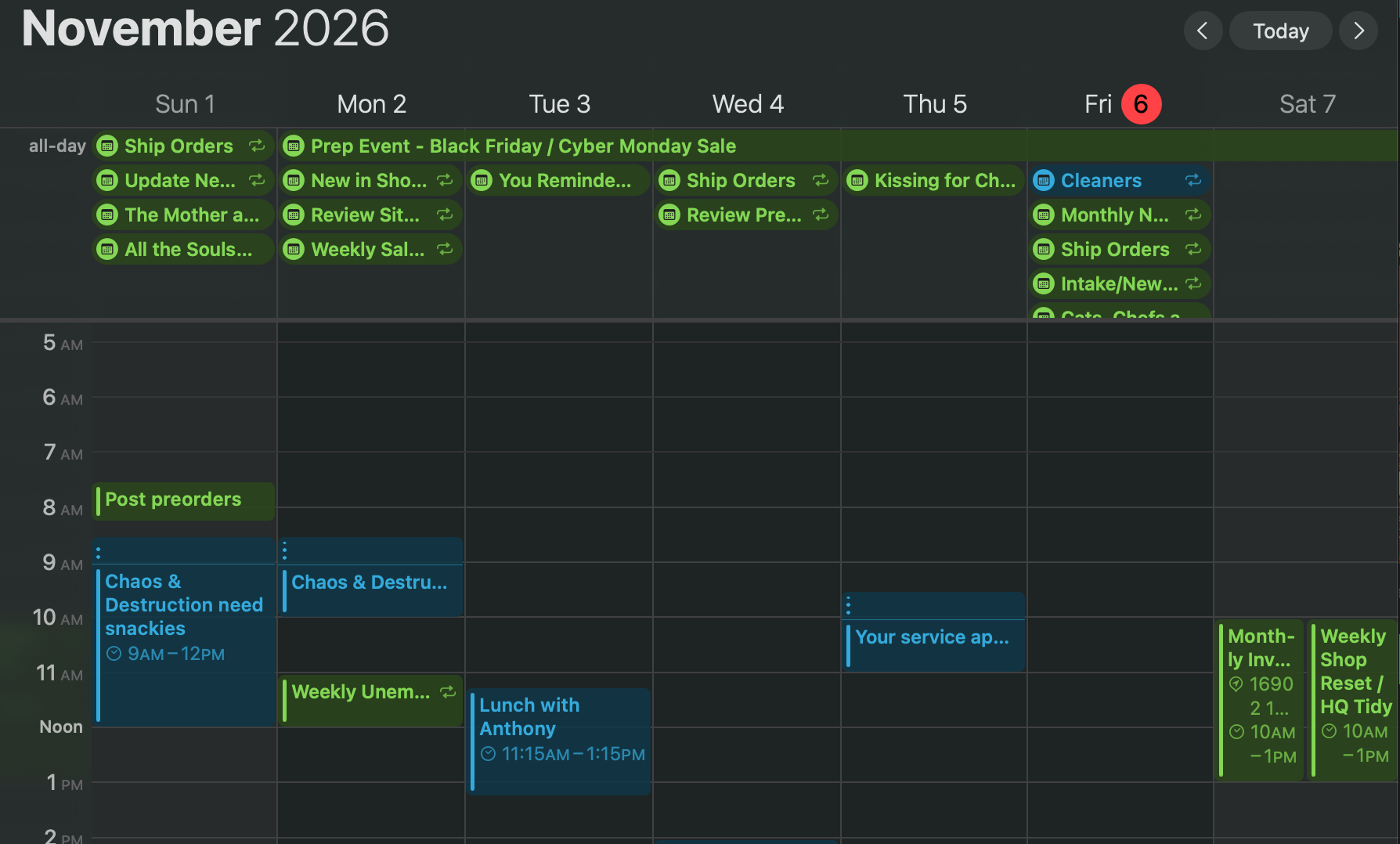
Between iCal, Reminders, Notes, Email…the list goes on. I use most of them daily. I have book preorders/release date milestones on my calendar along with tax due dates, sale prep weeks and the seasonal theme switchovers. All color-coded with reminders (if needed) and, here’s the key, it’s available on ALL my devices. 2pm and I’m at a family thing, “Oh, shoot, did I forget x?” I can check my watch real fast and find out. This is the same for Email, Reminders, Notes, etc. Being able to calm my ADHD and anxious mind when it panics, no matter where I am, is HUGE. There’s only one of me.
One last thing to mention, I have my email domain for the shop set up through iCloud and connected to Squarespace.
Canva / Procreate
Now here are two you’ve probably heard of. Canva is available on iOS, iPadOS, and MacOS making it easy to use no matter the situation, but flexible between different needs. Procreate is iPad only, but these two software programs, paired with the Apple Pencil, provide me enough creative control for graphics, marketing, reels, trailers, etc.
Toggl Track
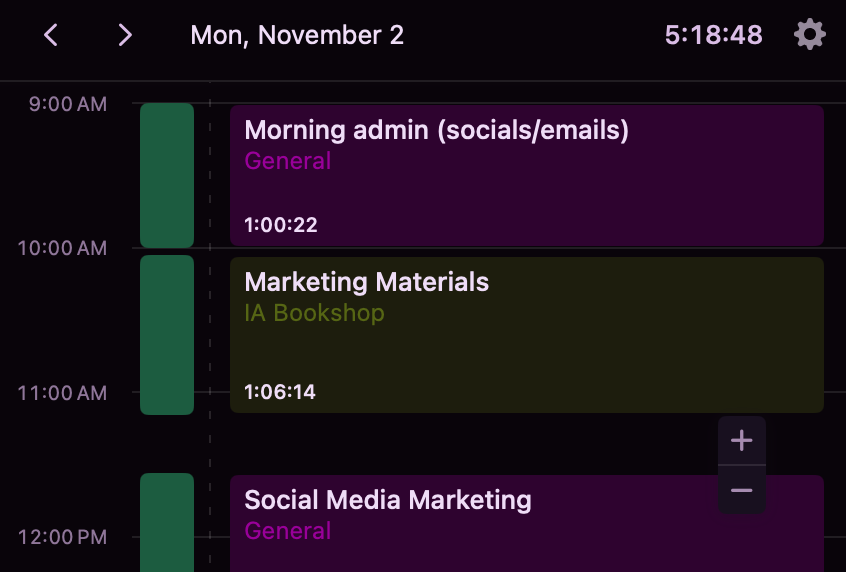
Again, a multi-platform app (but better on MacOS since it tracks automatically which is RAD). I use Toggl for time tracking. I have a few projects to divide up my work focus; shop work, author work, business tasks, etc., and use tags in certain situation to narrow down further. Having an accurate tracking of where I’m spending my time helps me adjust. Spent too many hours on a set of marketing images…sounds like I need to make a template. How long am I driving to an event? Sales were low this week, why? Not enough social media.
PirateShip
Not too much to say here except this site connect to Squarespace to import order destinations, lets me save standard package types, and I can even schedule pickups without having to leave and go to UPS or USPS’s sites separately. And yes, it’s discounted.
Squarespace
I use Squarespace for my website, blog, email lists, shop front, and in-person POS (point of sale). I’ve been using it for years and it was a natural direction to head when I needed to expand. Their customer service is relatively quick, their processing fees are reasonable, and their products can do -most- of what I need them to do.
A quick note that Squarespace domains, email capabilities, shop fronts, SMS usage, and a few other bits are charged independently of one another which is both annoying, but also extremely helpful.
Social Media: Instagram, Threads, TikTok, etc.
Not a ton to say here except, like it or not, social media is required—even if it’s a slog. That said, you will NEVER see us on twitter, so if you do…it’s not us.
Notion
Last but not least, Notion. Honestly, Notion will get a dozen of its own blog posts so here’s a quick summary—spoiler, I use it for everything.
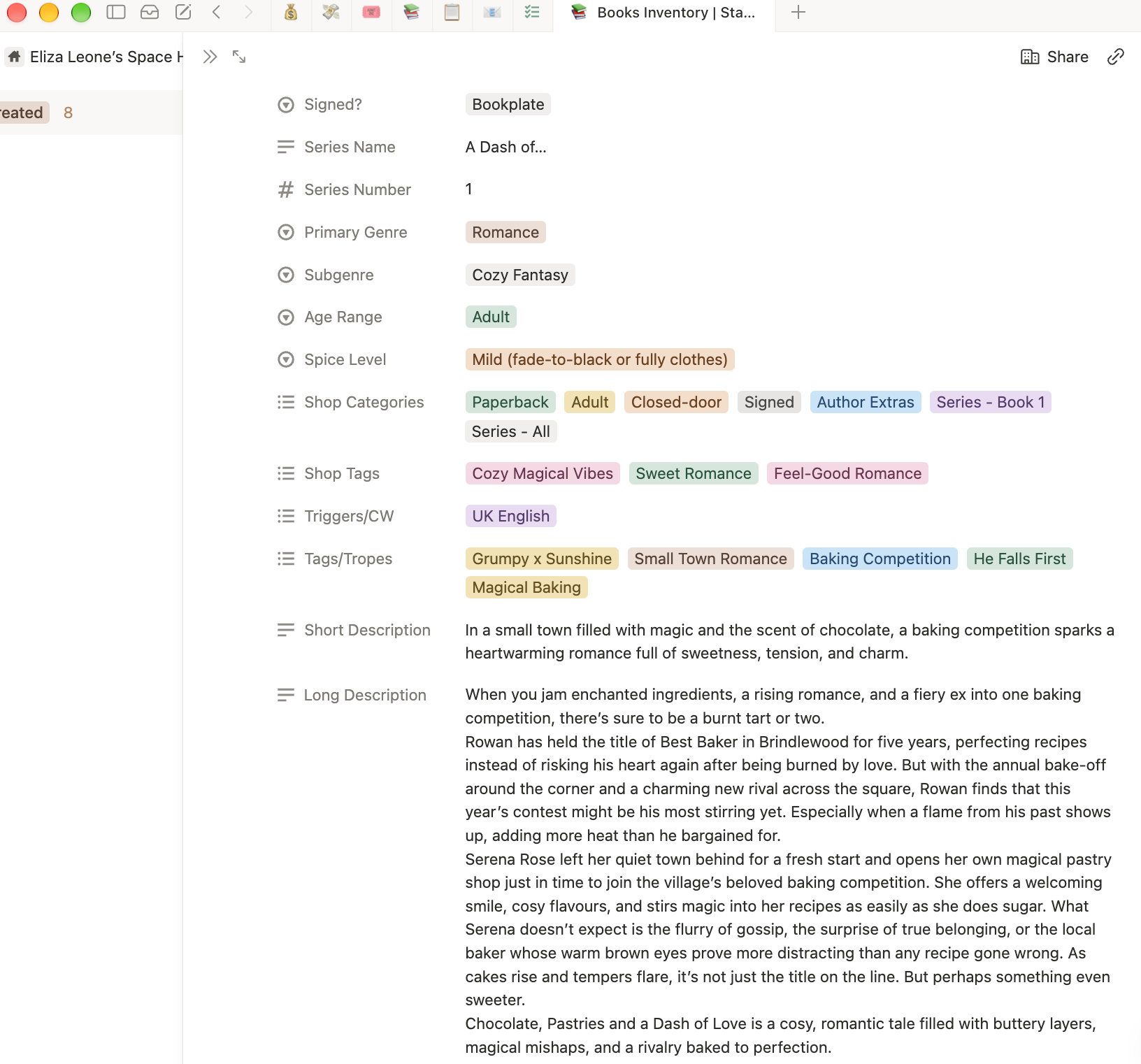
There are multiple databases that all connect. Got a shipment of books from X in—update the book’s entry which updates the payout database and the finance tracking. Need a list of books with the forced proximity trope—filter the book database on that element. What book is in Blind Book number 5 and how many did we sell at the last event—there’s a cross-database view for that, too.
On top of databases, the shop style guide is in there, tax tracking, supply counts, packing lists, event decorations, authors/books we don’t stock YET, but want to in the future, those are in there, too. You name it—it’s in there.
I hope this peek behind the curtain has been helpful. The tools don’t run the show for me, but they make it possible for one person to keep all of the moving parts organized without losing their mind.
Next time, I’ll share some physical tools I rely on dat yo day.
As always, my door is always open, so if you have a question or need assistance, reach out.
For now, stay safe, stay kind, and happy reading.
-E
